
PMRS Target
The PMRS Target page is used to define and manage monthly performance targets for employees within a department.
Create PMRS Target:
- Select the Department.
- Choose the applicable Month.
- Select the Person Name from the department.
- Add the person to the list using the Add (+) button.
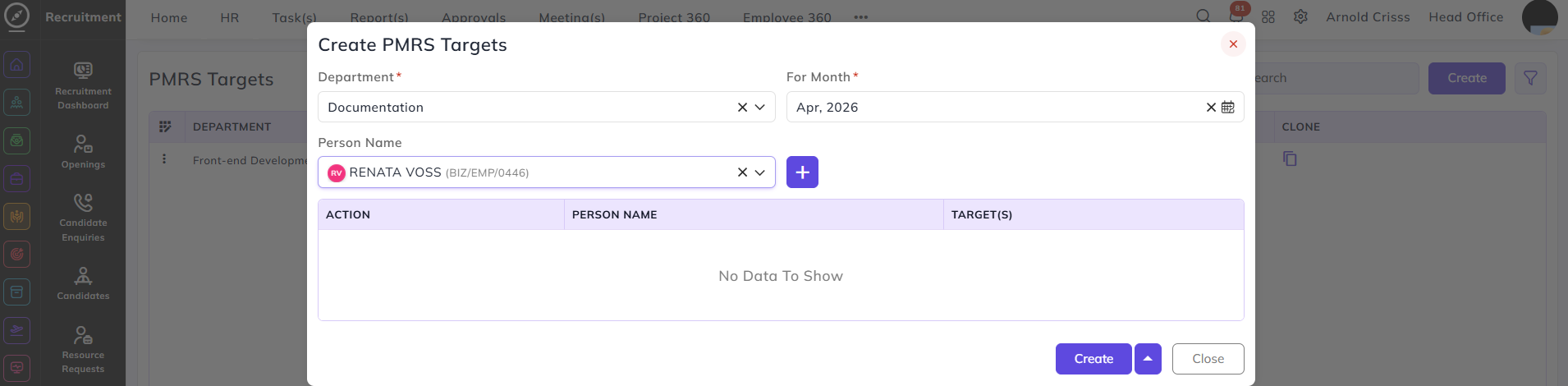
- Define Target(s) for each selected person.
- Once you add the Target/Day, the Total Target will be automatically calculated based on the weightage.
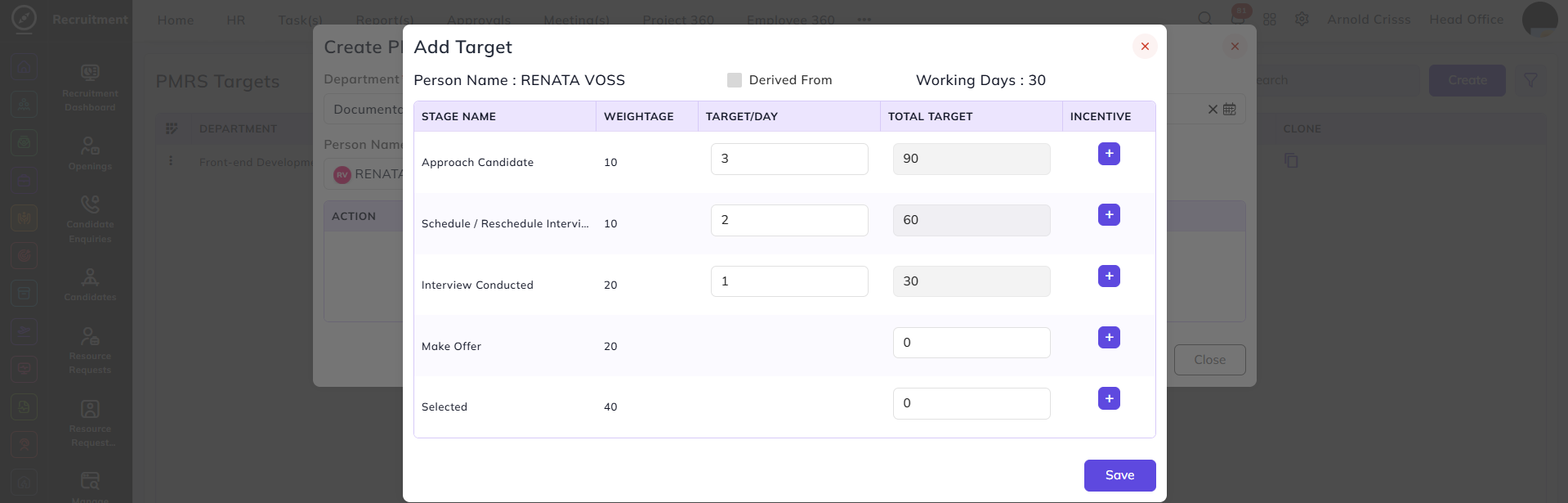
- After adding the Target/Day, click on the '+' button to add Incentives.
- Here, you can enter target range and its incentive.
Per Achieve option: By checking this option on, the incentive will be given for each target achieved. For e.g., if the target range is 1-5, then the incentives will be given 5 times. If this option is off, the incentive will be given one time after the completion of the target range (after achieving the 5th target).
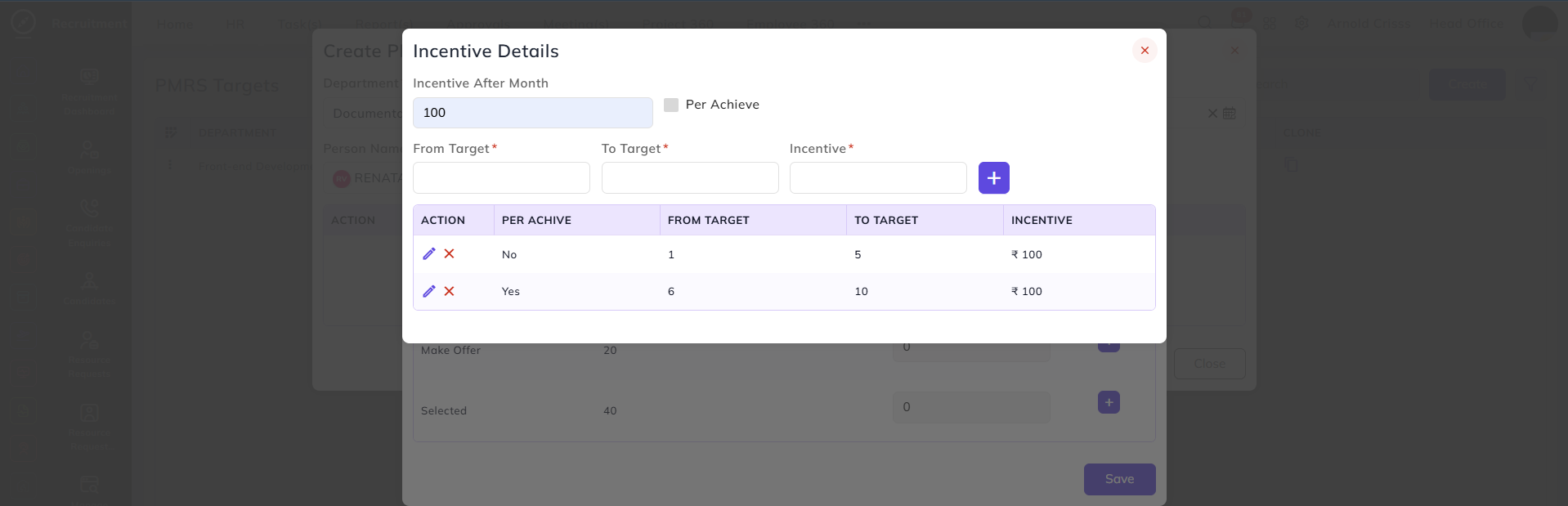
- Once done, go back to the Add Target section and click on Save. Then go back to PMRS Target section and click on Create.
The incentives will be automatically added to the salary of the employee upon targets achieved.
The Bulk Action button allows you to delete multiple PMRS Targets at once, streamlining the management process.