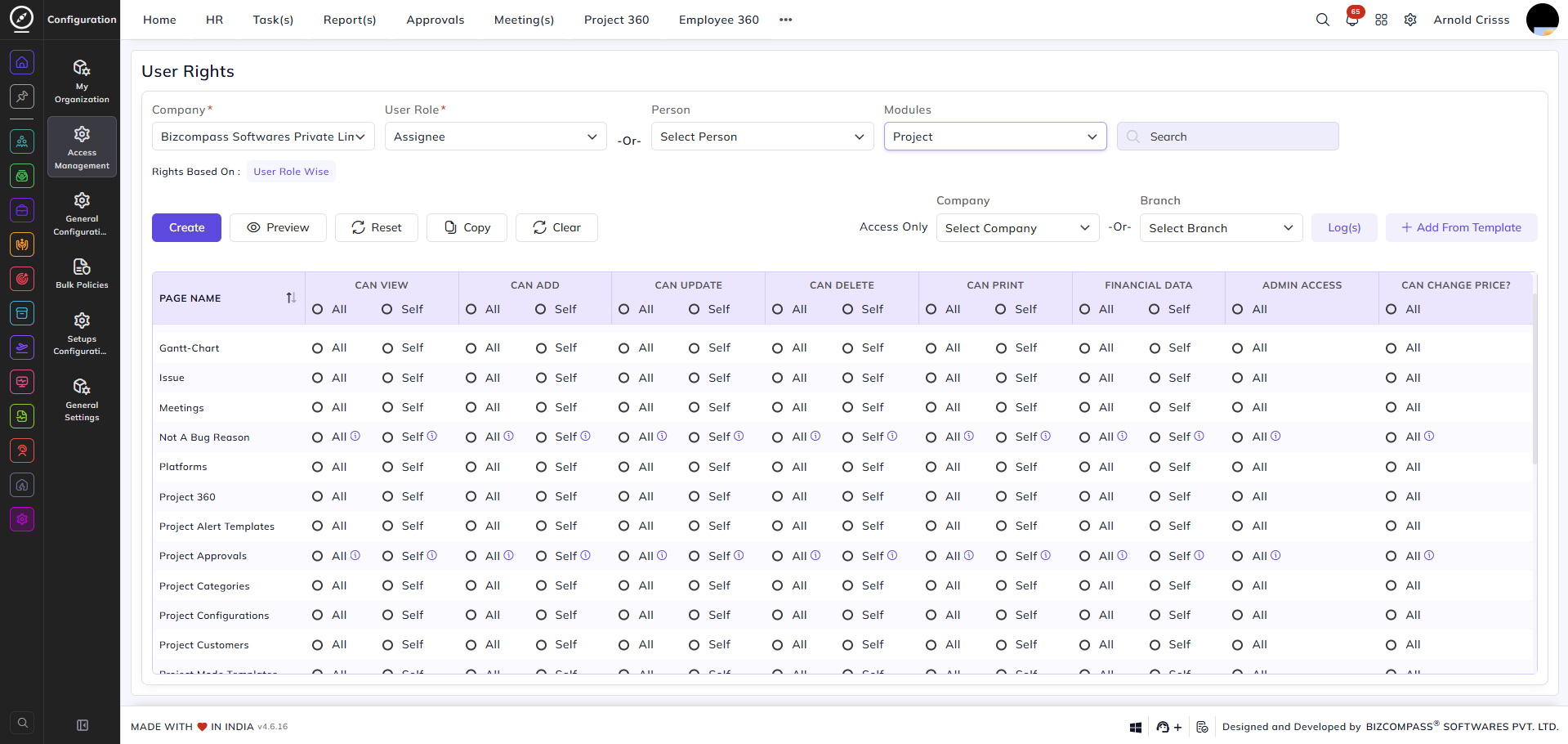
User Rights (Project)
From this page, you can define and manage access rights for user roles or individual employees specifically for the Project module. This allows you to control who can view, add, update, delete, or perform other actions on each page within the project module.
You can configure rights either by User Role (applying to all users assigned to that role) or by a specific Person (applying to that individual only). The Rights Based On label below the filters indicates whether the current configuration is set User Role Wise or Person Wise.
For each page in the project module — such as Projects, Project Customers, Project Alert Templates, Platforms, and more — you can configure the following permissions:
- Can View / Can Add / Can Update / Can Delete — control whether the user can view, create, edit, or remove records on that page.
- Financial Data — controls whether the user can select the Billing Type while creating a task.
- Admin Access — grants admin-level access to perform all operations on that page.
Each permission can be set to All (access to all records within their role hierarchy) or Self (access to their own records only).