
Asset Borrow Request
This page is used to raise requests for borrowing or permanently allocating assets to employees.
The list shows each request's Ticket ID, Asset Category, Asset Item, Assignee, Subject, and Type.
Creating an Asset Borrow Request:
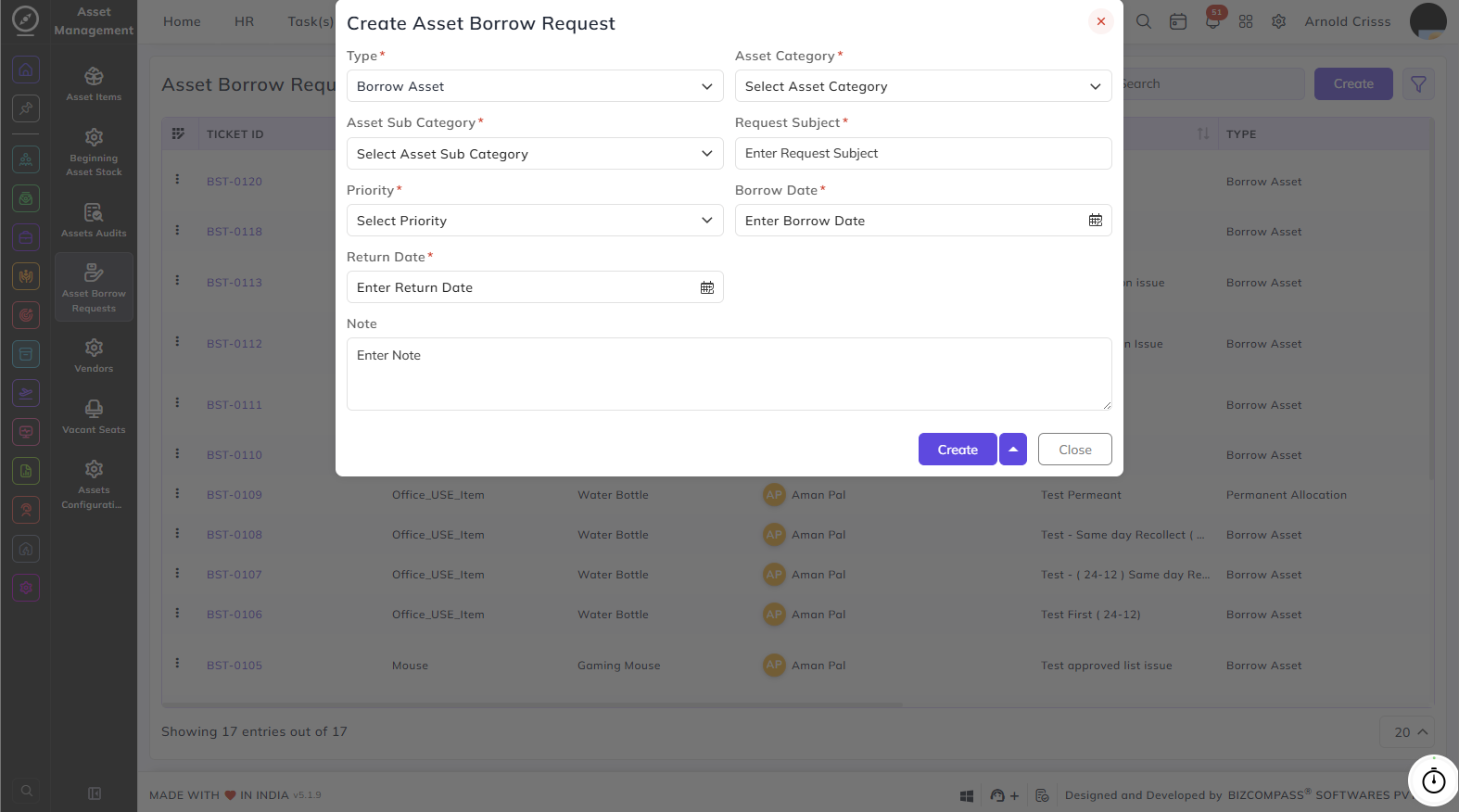
Click the Create button at the top right to open the Create Asset Borrow Request dialog. Fill in the following fields:
- Type: Select the type of request: Borrow Asset or Permanent Allocation.
- Asset Category: Select the category of the asset being requested.
- Asset Sub Category: Select the sub category under the chosen category.
- Request Subject: Enter a brief subject or title for the request.
- Priority: Select the urgency level: High, Medium, or Low.
- Borrow Date: Enter the date from which the asset is needed.
- Return Date: Enter the date by which the asset will be returned.
- Note: Add any additional information or context if needed.
With the Bulk Action feature, you can delete multiple asset borrow requests at once, streamlining the management process.