Tax Master & Tax Group
Tax Master:
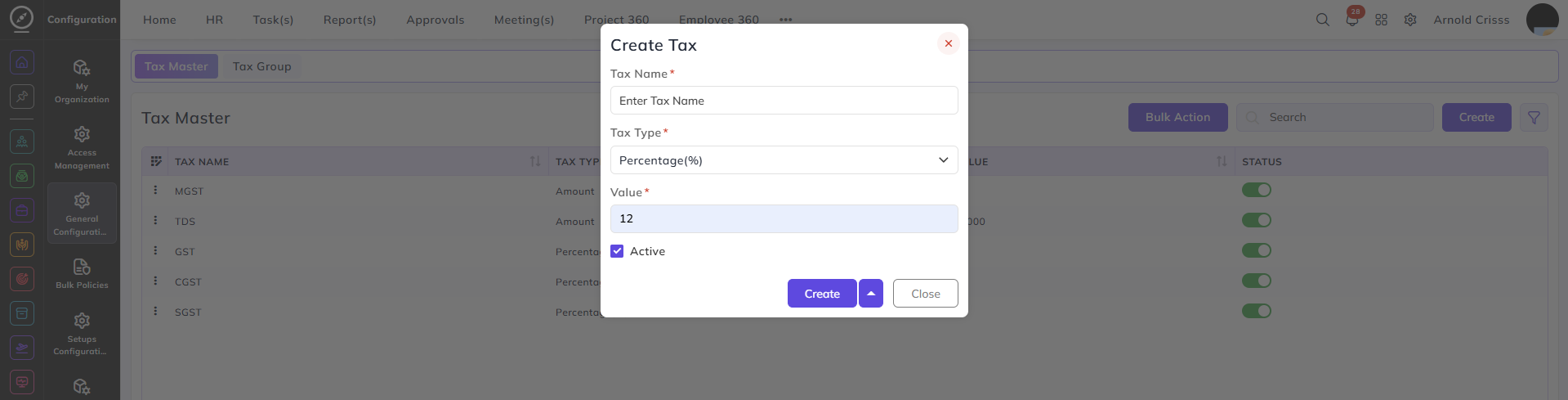
This page is used to create tax types for items.
Enter the name (for example, Main tax).
Select the tax type:
-
Rupees
-
Percentage
Enter the value (for example, 12%).
Select whether the tax type is active (this flag can be edited after creating the tax as well).
With the Bulk Action feature, you can delete multiple taxes at once, streamlining the process.
Tax Group:
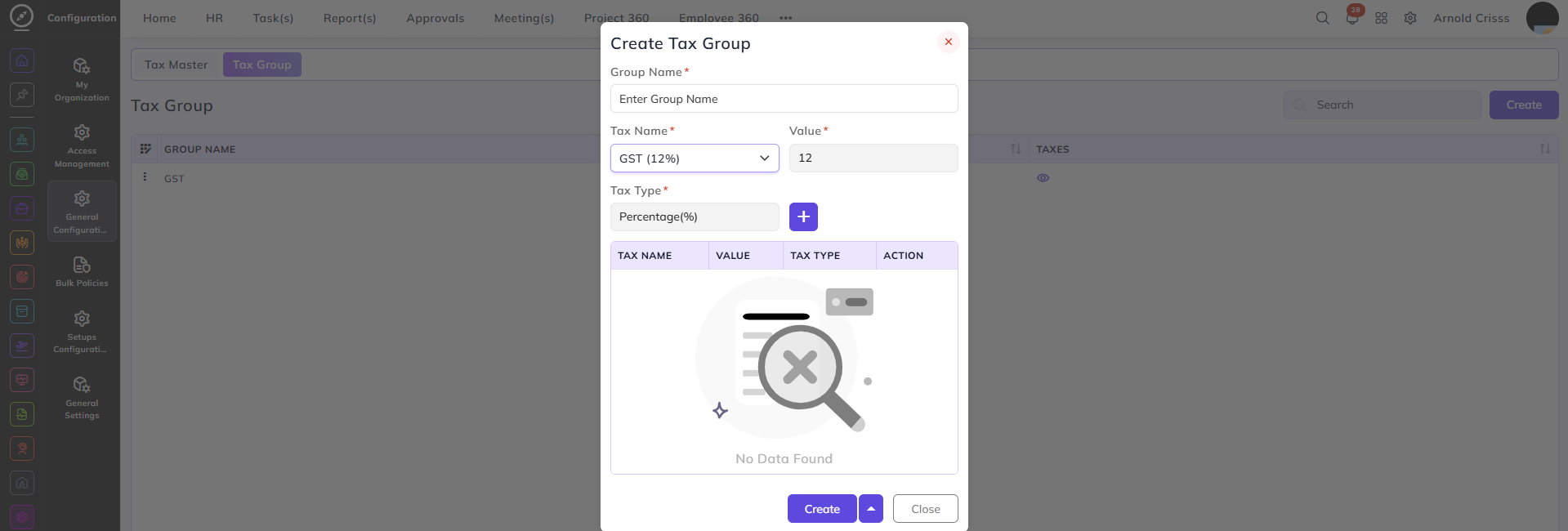
This page is used to create a tax group.
Enter the tax group name (for example, Primary tax).
Select the tax to include, such as:
-
Main tax
-
Secondary tax
The selected taxes will be added to the tax group by clicking on the "+".