
Seats
This page is used to create seats for rooms.
You can create seats in two ways:
-
By range
-
Individually
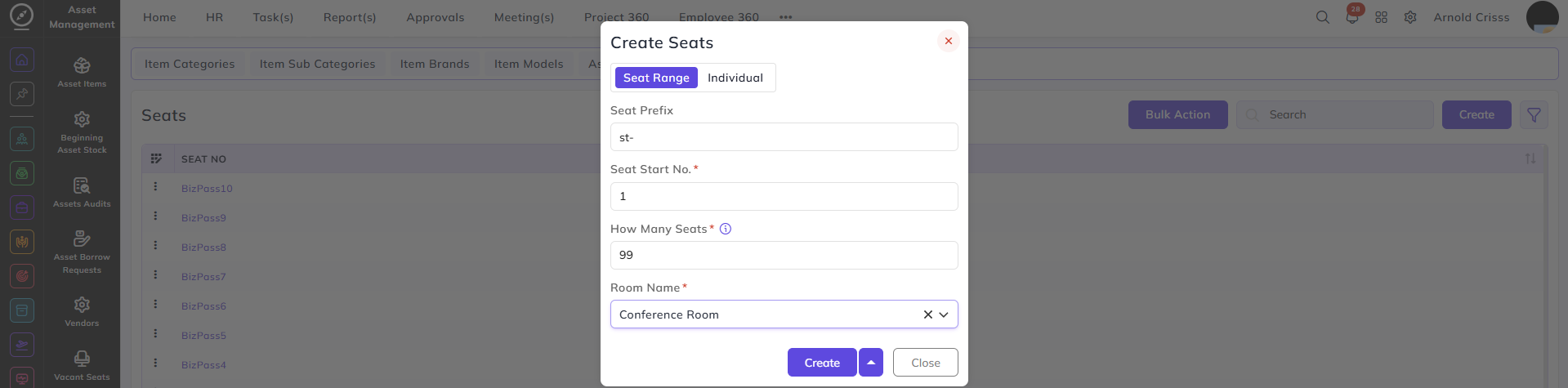
To create seats by range:
-
Enter the Seat Prefix (for example:
Seat-) -
Enter the Start Number (for example:
1) -
Enter the Total Seats (for example:
5) -
Select the Room (for example: Developer Room)
This will create:
-
Seat-1
-
Seat-2
-
Seat-3
-
Seat-4
-
Seat-5
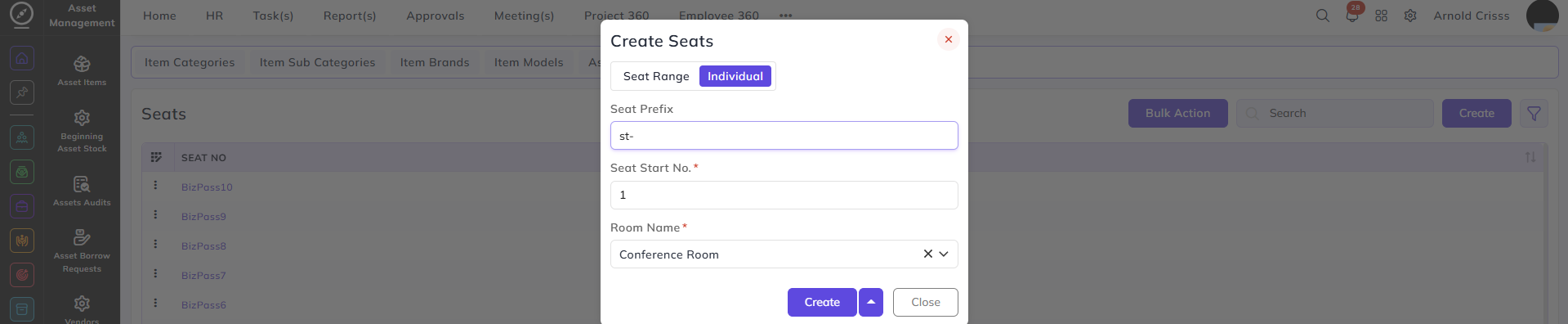
To create a seat individually:
-
Enter the Seat Number
-
Select the Room
- Create the seat
With the Bulk Action feature, you can delete multiple seats at once, streamlining the process.