Announcements
From this page, you can create Announcements. Navigate to HRMS->Engage->Announcements.
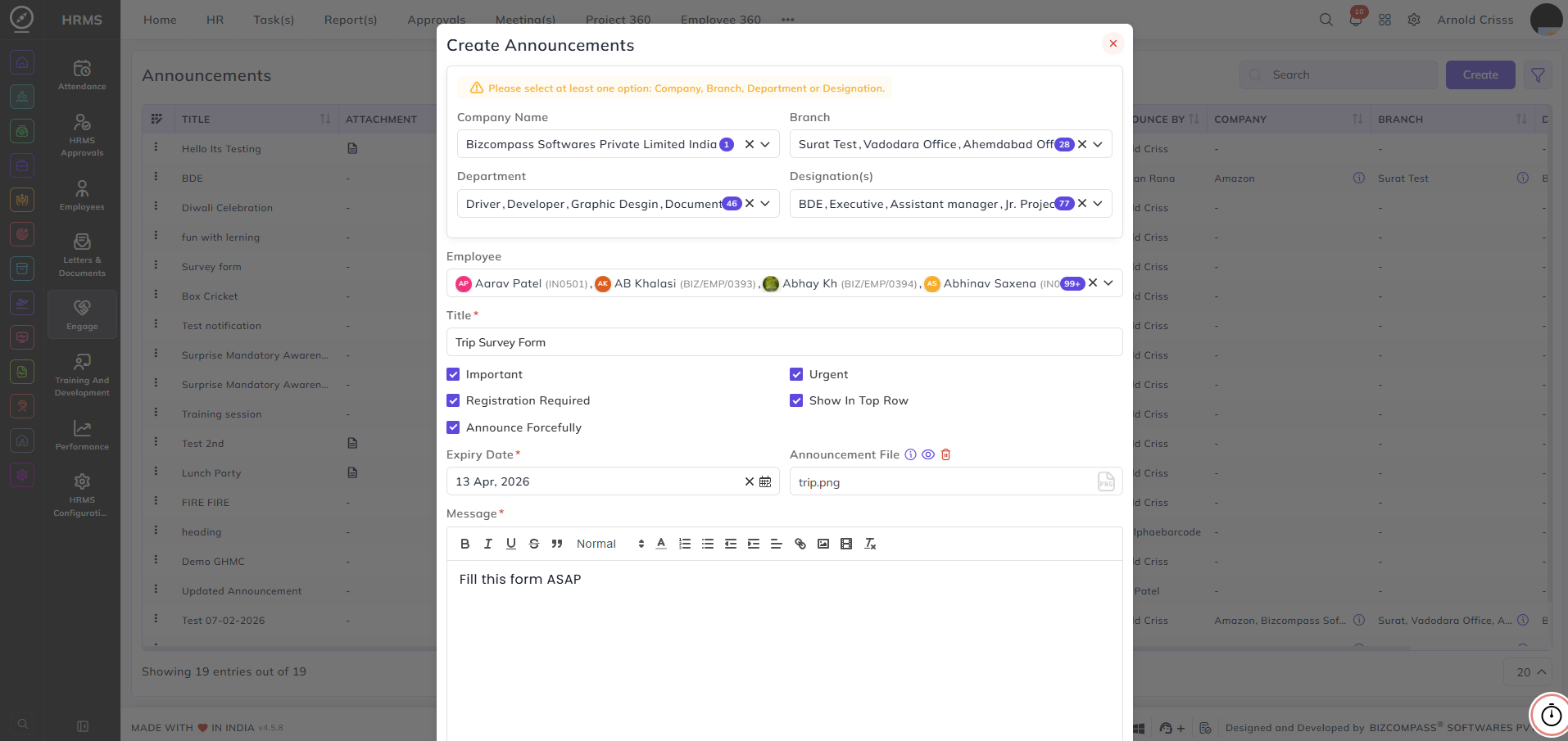
- Select the Company Name, Branch, Department, and Designation and Employees who will receive the announcement.
- Enter the Title of the announcement.
- Then configure the flag options like Important, Urgent, Show in Top Row, Announce Forcefully, and Registration Required.
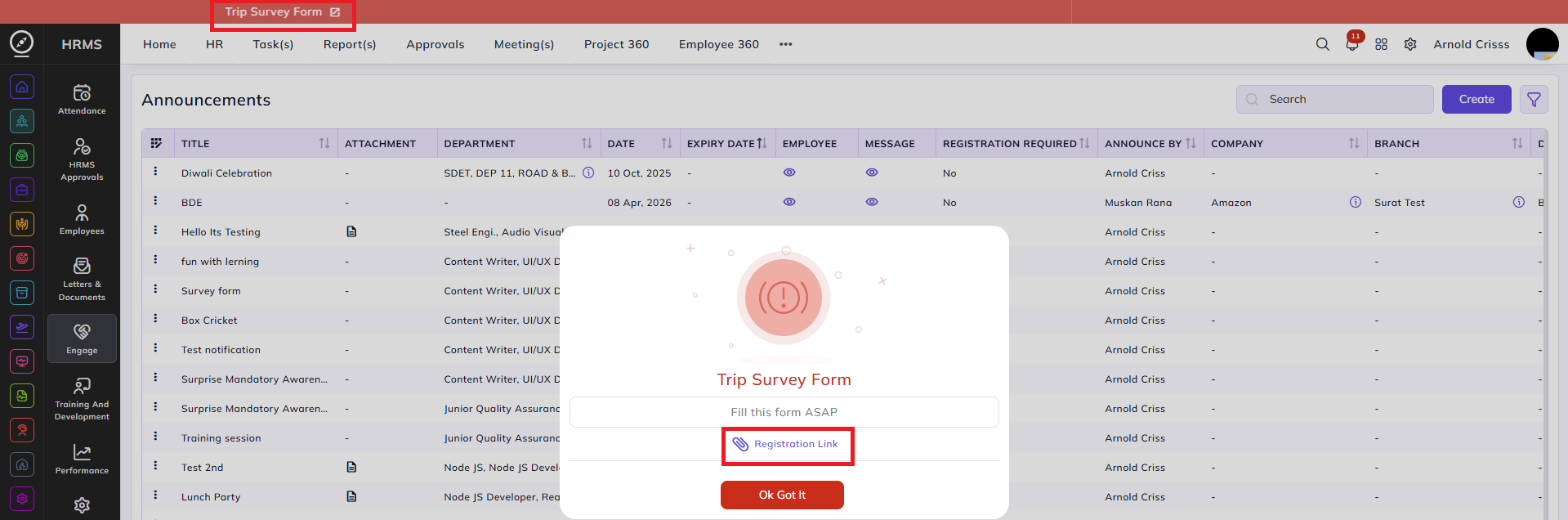
If the Registration Required flag is checked on, then the option to add Registration Link will appear. In that, you have to add the survey form link.
- Set the Expiry Date, the Message for the announcement, and optionally add an Announcement File.

Here's what will be displayed once you create the announcement: