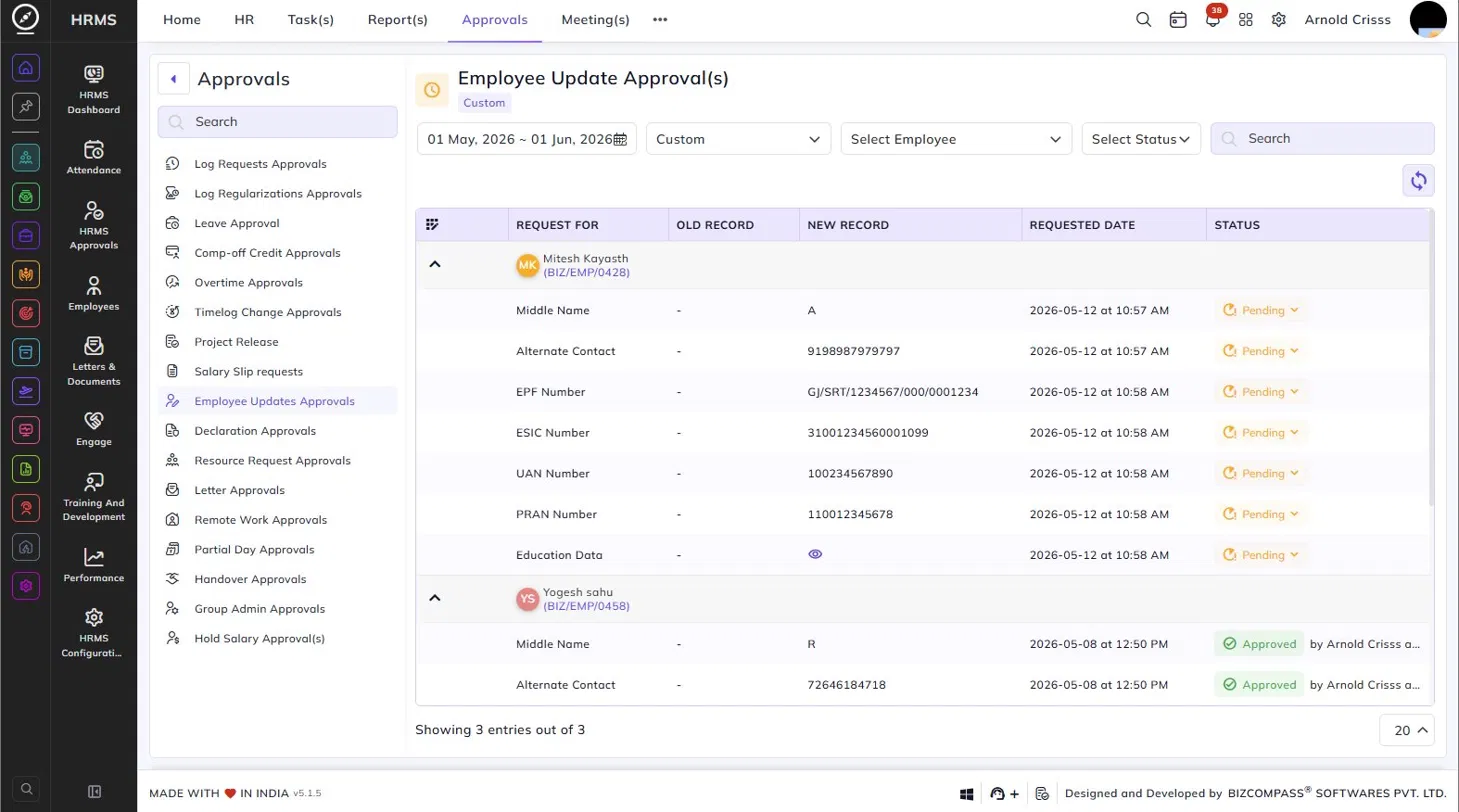
Employee Update Approvals
The Employee Updates Approvals page lists all profile update requests and Documents Uploads request submitted by employees for fields that require approval before the change is applied. To navigate here, go to Approvals->Employee Updates Approvals.
Use the date range, date type, Employee, and Status filters to narrow down the list.
Each employee's requests are grouped under their name and employee code, which can be expanded or collapsed using the arrow icon. Each row within the group represents a single field change request, displaying the following details:
- Request For – The name of the field the employee has requested to update (e.g., Middle Name, Alternate Contact, EPF Number, ESIC Number, UAN Number, PRAN Number, Education Data).
- Old Record – The existing value of the field before the change. Shows a dash if the field was previously empty.
- New Record – The new value the employee has submitted. For complex data such as Education Data, a view icon is shown instead of the value directly.
- Requested Date – The date and time the update request was submitted.
- Status – The current status of each field change — Pending (with a dropdown to approve or reject) or Approved (with the approver's name and timestamp).
Each field change can be approved or rejected individually using the Pending status dropdown.
For fields with a single value such as Middle Name, Alternate Contact, EPF Number, UAN Number, and similar, the old and new values are displayed directly in the table. For fields that contain structured or multi-select data, an eye icon appears in the New Record column instead. Clicking it opens a dialog showing the full breakdown of all sub-field changes within that entry.