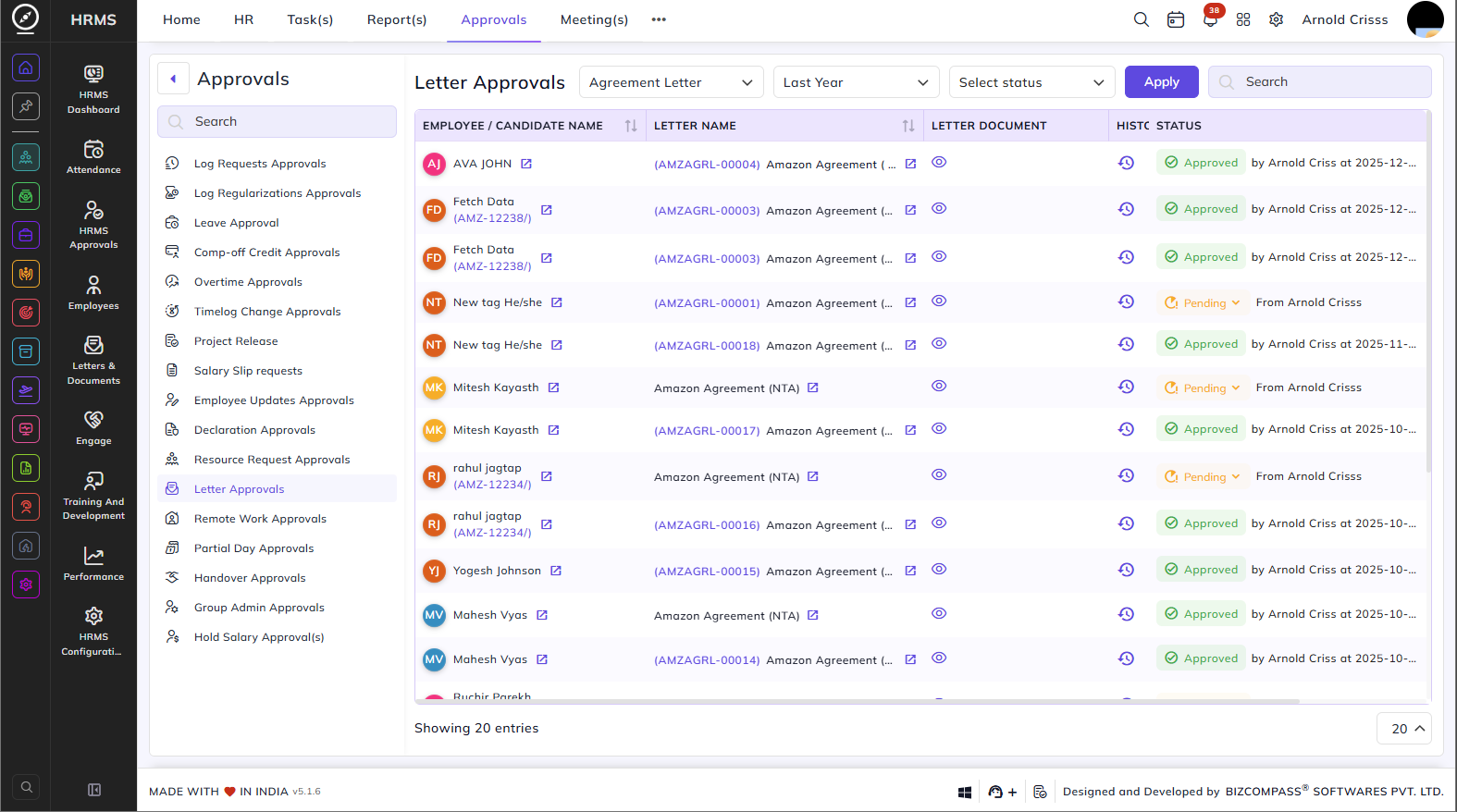
Letter Approvals
The Letter Approvals page lists all letters generated for employees or candidates that require approval before they are finalized. To navigate here, go to Approvals->Letter Approvals.
Use the Letter Type, Date, and Status filters to narrow down the list.
Table Columns:
Each letter approval entry displays the following details:
- Employee / Candidate Name – The name of the employee or candidate the letter is generated for. Click the redirect icon next to the name to open the candidate's application.
- Letter Name – The name and ID of the letter. Click the redirect icon next to the letter name to open the letter directly. Click the edit icon to edit the letter, and the view icon to preview it.
- Letter Document – A view icon to preview the letter document.
- History – Click the history icon to view the approval history for that letter.
- Status – The current approval status — Approved (with the approver's name and timestamp) or Pending (with the source). Click the Pending dropdown to approve or reject the letter directly from the list.