
Company Year Configuration
This page is used to create company year for Financial Year, Payroll Year, or Other Year. We can also define the Declaration Window for the investment on that company year.
The Financial Year is required for TDS calculations and Payroll Year for Leave and DLD regarding policies.
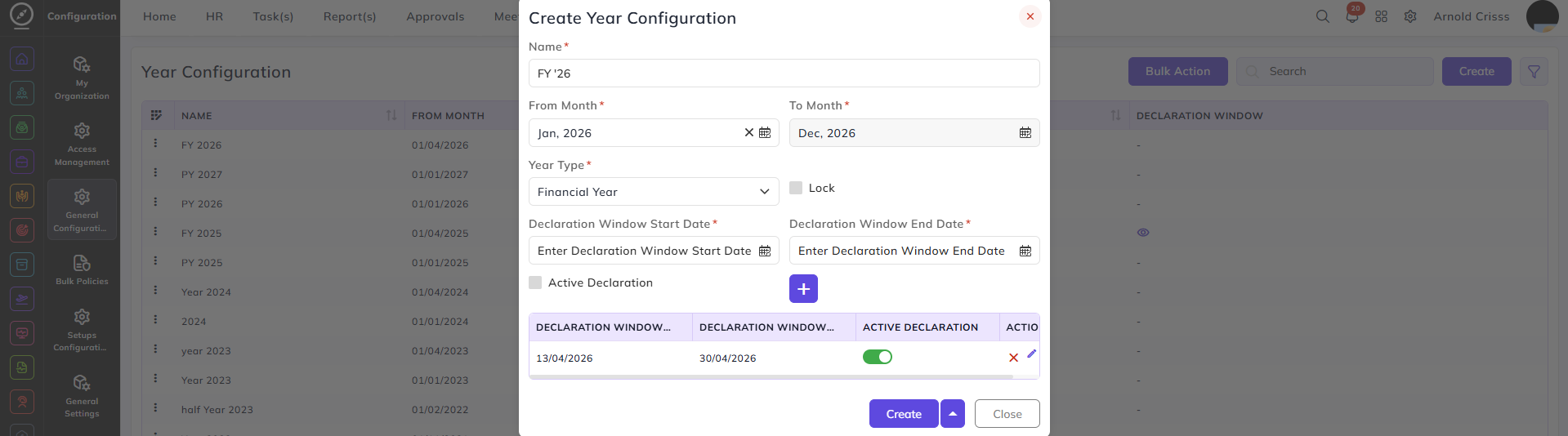
Create Year Configuration:
- Enter the Name of the year.
- Enter the starting and ending months.
- Select the Year Type (Financial Year, Payroll Year, or Other Year).
- If you selected the Financial Year, then the options to add the Declaration Window Start and End Date will appear.
- Enable the Active Declaration option if you want to allow the employees to declare for the investments. You can also disable this option after adding the declaration window.
The Bulk Action feature is used to delete multiple year configurations at once, streamlining the management process.