
Regions
Countries:
- From this page, you can create a country by adding the Country Name and the Country Code.

States:
- From this page, you can create a state by selecting the Country and adding the State Name and State Code.

Districts:
- From this page, you can create a district by selecting the State and adding the District Name.

Cities:
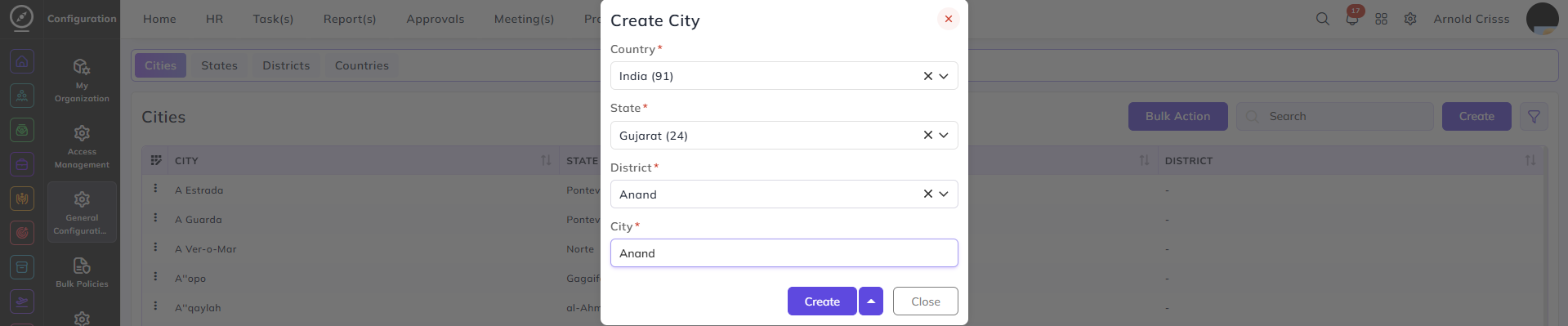
- From this page, you can create a city by selecting the Country, State, District and entering the City Name.
The Bulk Action feature helps to delete multiple region entries at once, streamlining the management process.